Concur Monthly Newsletter #1 | UI Updates

Welcome to the inaugural edition of Concur Monthly!
We are excited to launch this new communication channel dedicated to the UCSB community. Our goal is simple: to provide a monthly "technical digest" that makes learning about new features easy. Here, you will find high-impact updates, info about system changes, and quick tips to make your expense reporting smoother.
✨ New Look: The Expense Report UI
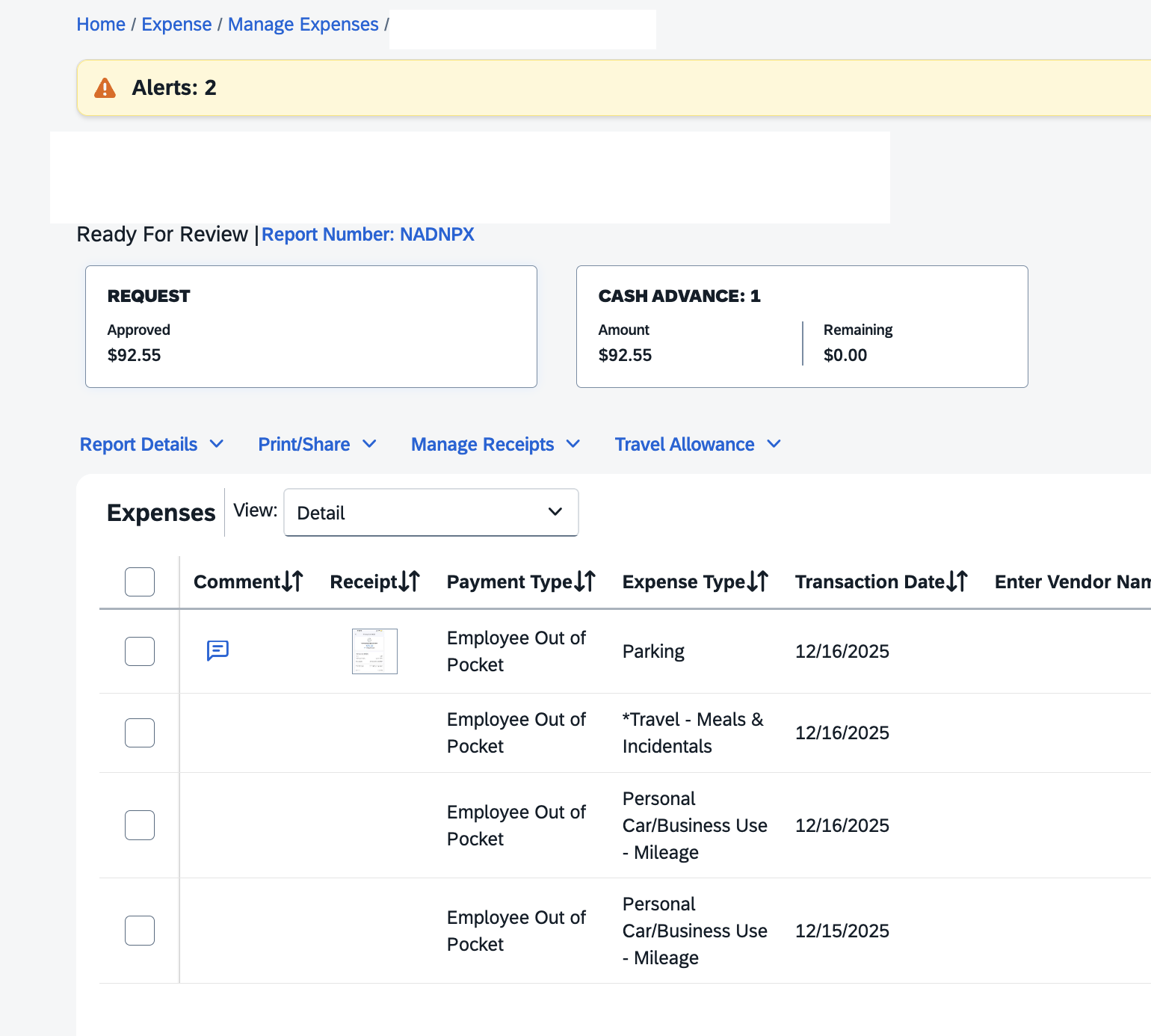
You may have noticed a shift in the look and feel of your Expense Report page this week. SAP has deployed a User Interface (UI) update designed to modernize the experience and improve accessibility.
Old Expense Report UI
New Expense Report UI
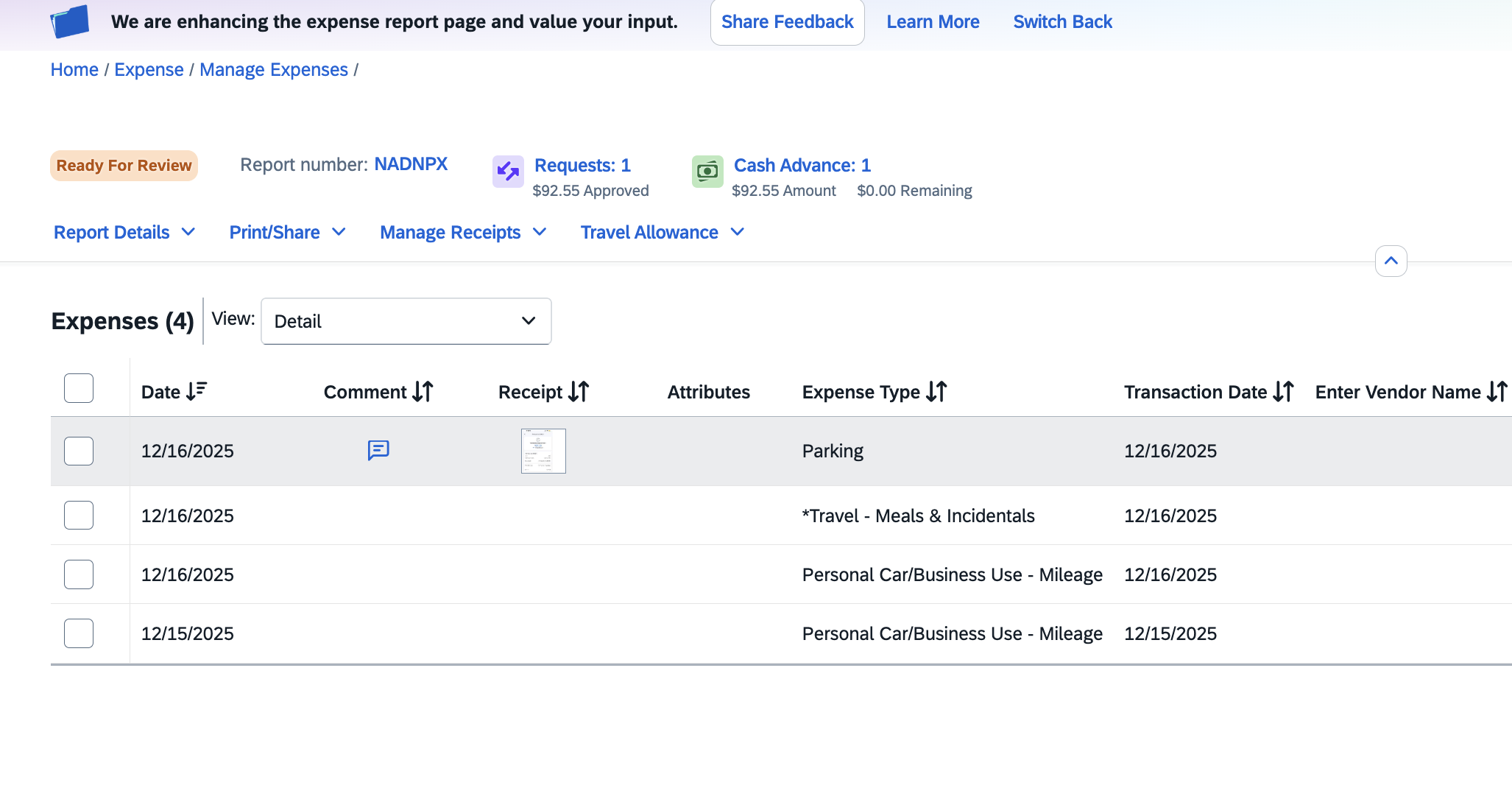
What changed? The layout is now cleaner, with higher contrast text and streamlined icons. The functionality remains the same, but the visual "noise" has been reduced to help you focus on your line items.
- Icons have been added to Cash Advances and Requests that are tied to the expense report
- "Ready for Review" has been highlighted for better visibility
📅 What to Expect from Concur Monthly
Moving forward, we will use this space to highlight:
- Technical Updates: Like the UI change above.
- Policy Reminders: Quick refreshers on travel and entertainment rules.
- Feature Spotlights: Tools inside Concur you might not be using yet.
- With major UI updates, browsers sometimes hold onto old "cached" versions of the page. If the site looks broken, try clearing your cache or pressing Ctrl + F5 (Windows) or Cmd + Shift + R (Mac) to force a reload.
- Alternatively, make sure that you are using the most recent/updated version of your browser (SAP recommends Google Chrome)
Questions about the new look or anything else?
If you are encountering issues, please reach out or check our updated user guides.
Visit Concur Resources